Manage clients, orders, contract notes, settlement and reconciliation in one secure web platform built for stockbroking firms on the Lusaka Securities Exchange and growing capital markets.
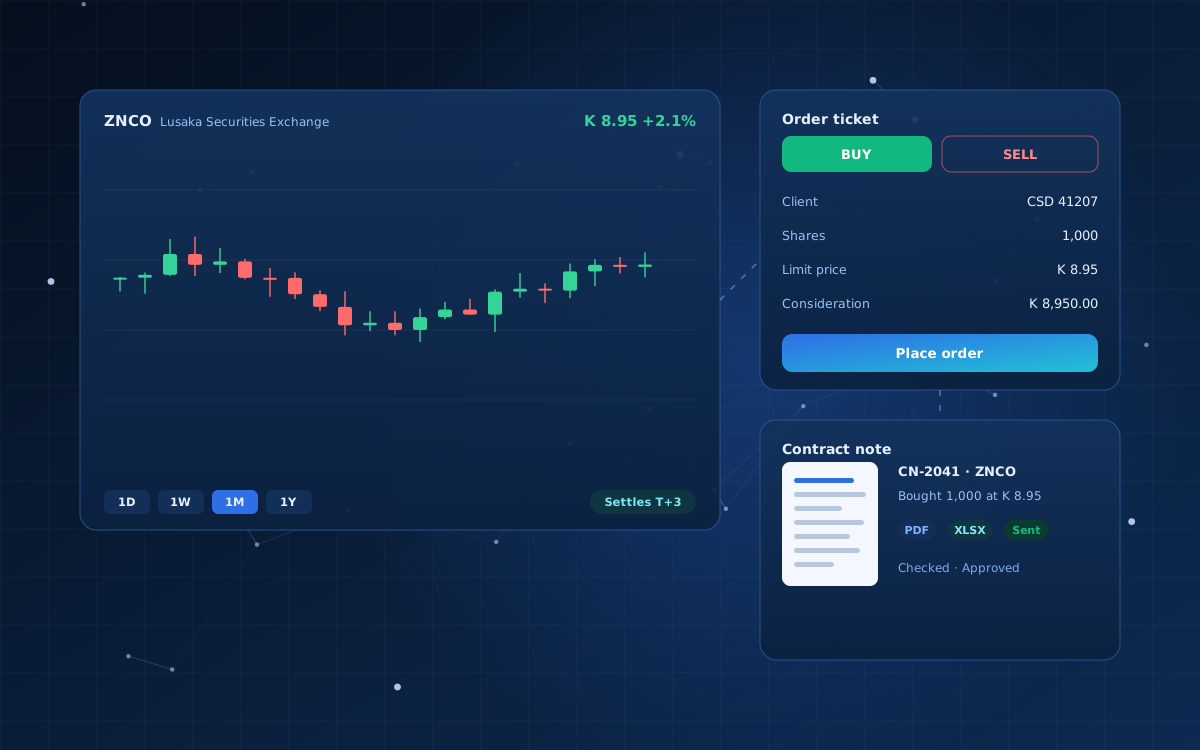
A broker management system is the software a stockbroking firm uses to run its day-to-day operations: onboarding clients, capturing their instructions, recording trades, issuing contract notes, settling with the exchange and reporting to the regulator.
InvestIQ brings these steps together, so the front office, back office and compliance work from the same records instead of spreadsheets and email. Every action is recorded in an audit trail, and each staff member sees only what their role allows.
Onboard clients, link CSD accounts and keep identity and contact details in one searchable register.
Place buy and sell orders with live consideration, charges and cash checks, then track working and partly filled orders.
Generate contract notes in PDF and Excel from matched trades, with check and approval steps before they are emailed to clients.
See what settles each day, what is overdue and what each client owes or is owed, with a T+3 countdown.
Match the exchange settlement report against your own trades and resolve breaks line by line.
Commission reports, daily trading summaries and quarterly regulatory returns, ready to download.
Holdings, valuations and gains or losses for every client.
Authority levels for dealers, senior dealers, compliance and managers, with every change recorded.
Capture KYC, the CSD account and contact details.
Enter the instruction and check the client’s cash or holdings.
Load the exchange’s matched-trade file; trades link to clients and orders.
Check, approve and send contract notes to clients.
Track T+3 settlement and reconcile with the exchange report.
A broker management system is software that runs a stockbroking firm’s operations: client onboarding, order capture, trade recording, contract notes, settlement, reconciliation and regulatory reporting.
InvestIQ is built for stockbroking firms and stock exchange member firms, including their dealers, back-office and settlement teams, compliance officers and managers.
Yes. InvestIQ generates contract notes in PDF and Excel from matched trades. Notes go through check and approval steps and can then be emailed to clients.
Yes. InvestIQ imports the exchange settlement report and matches it against the firm’s own trades, so breaks can be found and resolved line by line.
Yes. InvestIQ runs in a web browser, and staff sign in with roles that control what each person can see and do. Hosting can be arranged in the cloud or on-premise.
Request a demo through our contact form. We will walk through your current process and explain what configuring InvestIQ for your firm would involve.
Looking for something else? See our loan management system, or explore all industry systems.
Tell us about your organisation and your current process. We will arrange a demonstration and explain what setting it up would involve.
